
 Lupa Team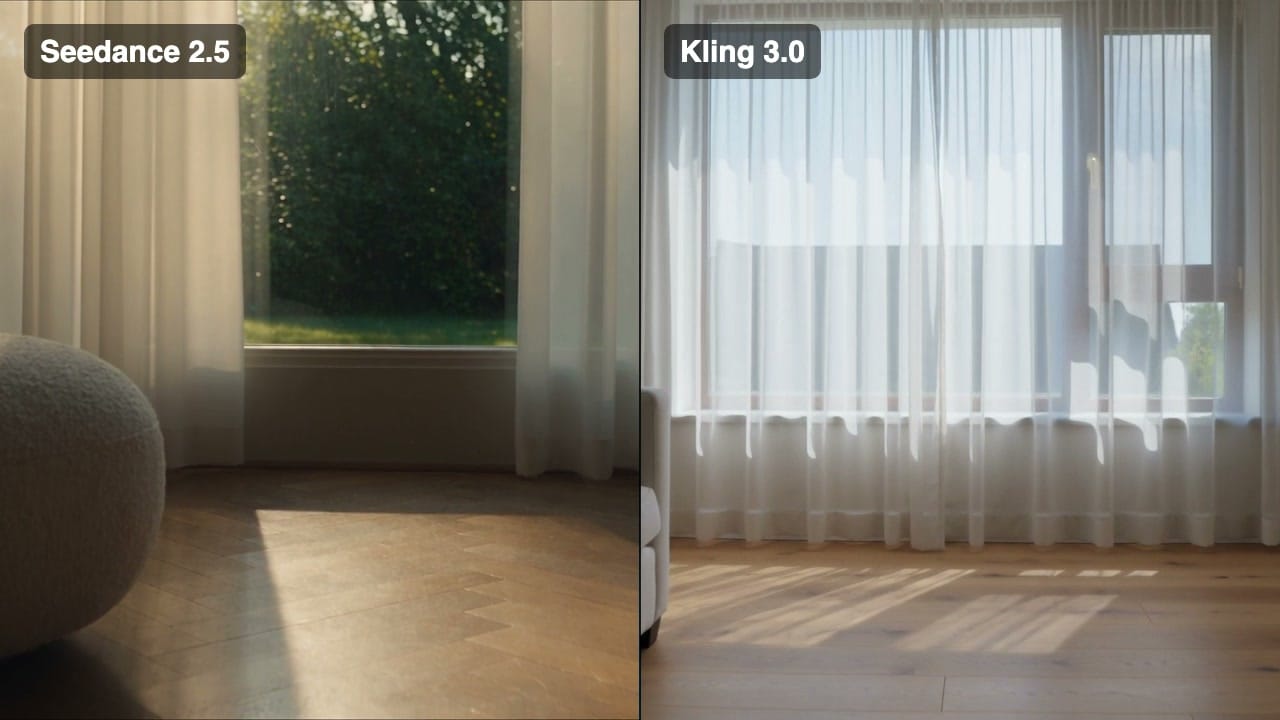
On this page
Seedance 2.5 and Kling 3.0 are two of the most used AI video models, and both are in Lupa's Video Generator. Most comparisons online still pit Seedance 2.0 against Kling, so we ran the new version on the same prompts and put the specs and the real cost per clip side by side.
How do the specs compare?
| Feature | Seedance 2.5 | Kling 3.0 |
|---|---|---|
| Length | 4 to 30 s, one continuous shot | 3 to 15 s; multi-shot up to 15 s total (1 to 12 s per shot) |
| Resolution | 480p, 720p, 1080p | 720p, 1080p |
| Aspect ratios | 16:9, 9:16, 1:1, 4:3, 3:4, 21:9, auto | 16:9, 9:16, 1:1 |
| Prompt length | 5,000 characters | 2,500 characters |
| Reference images | Up to 30 | None; a start and an end frame only |
| Reference video / audio | Up to 10 each, 30 s total | No reference video |
| Sound | Yes, same price | Yes, costs more |
| Plans in Lupa | Pro, Premium, Business | All paid plans |
What does each clip really cost?
Prices are in Lupa tokens, as shown on the Generate button:
| Clip | Seedance 2.5 | Kling 3.0 (no sound) | Kling 3.0 (with sound) |
|---|---|---|---|
| 5 s, 720p | 235 | 65 | 90 |
| 10 s, 720p | 470 | 125 | 180 |
| 5 s, 1080p | 425 | 80 | 120 |
| 10 s, 1080p | 850 | 160 | 240 |
Kling 3.0 is three to five times cheaper per clip. Seedance 2.5 also offers 480p (105 tokens for 5 s), which is the cheapest way to draft a Seedance shot before rendering the final at 1080p.
How did they do on the same prompts?
We ran four prompts through both models at 720p, 5 seconds, and picked the first result of each, with no retries.
| Criterion | Seedance 2.5 | Kling 3.0 |
|---|---|---|
| Follows camera direction | Drifts sideways instead of pushing in (prompt 1); a small but correct orbit (prompt 2) | Clean push-in (prompt 1), but pushes in instead of orbiting (prompt 2) |
| Keeps products / faces consistent | Bottle and label stay identical through the move | Bottle and label hold; her face stays stable |
| Motion realism | Natural walk, with real steps and depth | She barely moves forward and glides with the camera |
| Text and labels | “NORD” stays crisp and unchanged | “NORD” stays crisp, even in the close push-in |
| Generation time | About 3.5 to 5.5 min | About 2.5 to 3.7 min |
When should you use Seedance 2.5?
- You need one long, continuous shot (up to 30 s).
- You rely on many references: a product from several angles, a character sheet, a camera path from a reference video.
- You want sound at no extra cost.
- You're making hero shots where quality matters more than price.
Our Seedance 2.5 prompt guide has prompts to start from.
When should you use Kling 3.0?
- You're producing many clips and cost per clip matters.
- You want a multi-shot sequence from one generation, with a prompt per shot.
- You're on the Try plan, where Seedance isn't available.
- Short social clips (5 to 10 s) where 720p is enough.
The verdict
Both models kept the product label readable and both handled a two-shot prompt. Kling 3.0 is faster and far cheaper (65 vs 235 tokens for a 5-second 720p clip), and its push-ins are clean, but it swapped our orbit for a push-in and its walking person glides instead of walking. Seedance 2.5 costs more, but its motion looks real, especially with people. Rule of thumb: explore and iterate with Kling, then render the final shots with people in Seedance.
For camera direction tips that work with both models, see camera movement prompts. More head-to-heads are in Comparisons.
Still have questions?
Is Seedance 2.5 better than Kling 3?
It depends on the job. Seedance 2.5 goes longer and takes far more references; Kling 3.0 is much cheaper per second and supports multi-shot sequences. Our side-by-side results show which looked better for each prompt.
Which is cheaper, Seedance 2.5 or Kling 3.0?
Kling 3.0. A 5-second 720p clip costs 65 tokens on Kling (90 with sound) versus 235 on Seedance 2.5.
Which can make longer videos?
Seedance 2.5 generates up to 30 seconds in one shot; Kling 3.0 goes up to 15 seconds, or 15 seconds total across a multi-shot sequence.
Can I use both in Lupa?
Yes. Both are in the Video Generator. Kling 3.0 is available on every paid plan; Seedance models need Pro, Premium or Business.